24.8. Survey Invitations
Survey Invitations let you send a private link to a specific respondent. Each invitation has its own unique URL, can be marked single-use, and can be set to expire on a date you choose. This lets you see exactly who opened the survey and stops a link from being shared or reused.
Invitations are typically used for:
Outpatient, staff, or visitor surveys that must be attributed to a known recipient.
Surveys that are only valid for a limited time window.
Any case where an audit or survey should not be publicly reachable.
Invitations are paired with a custom audit that has been flagged as a private survey in Define Audits.
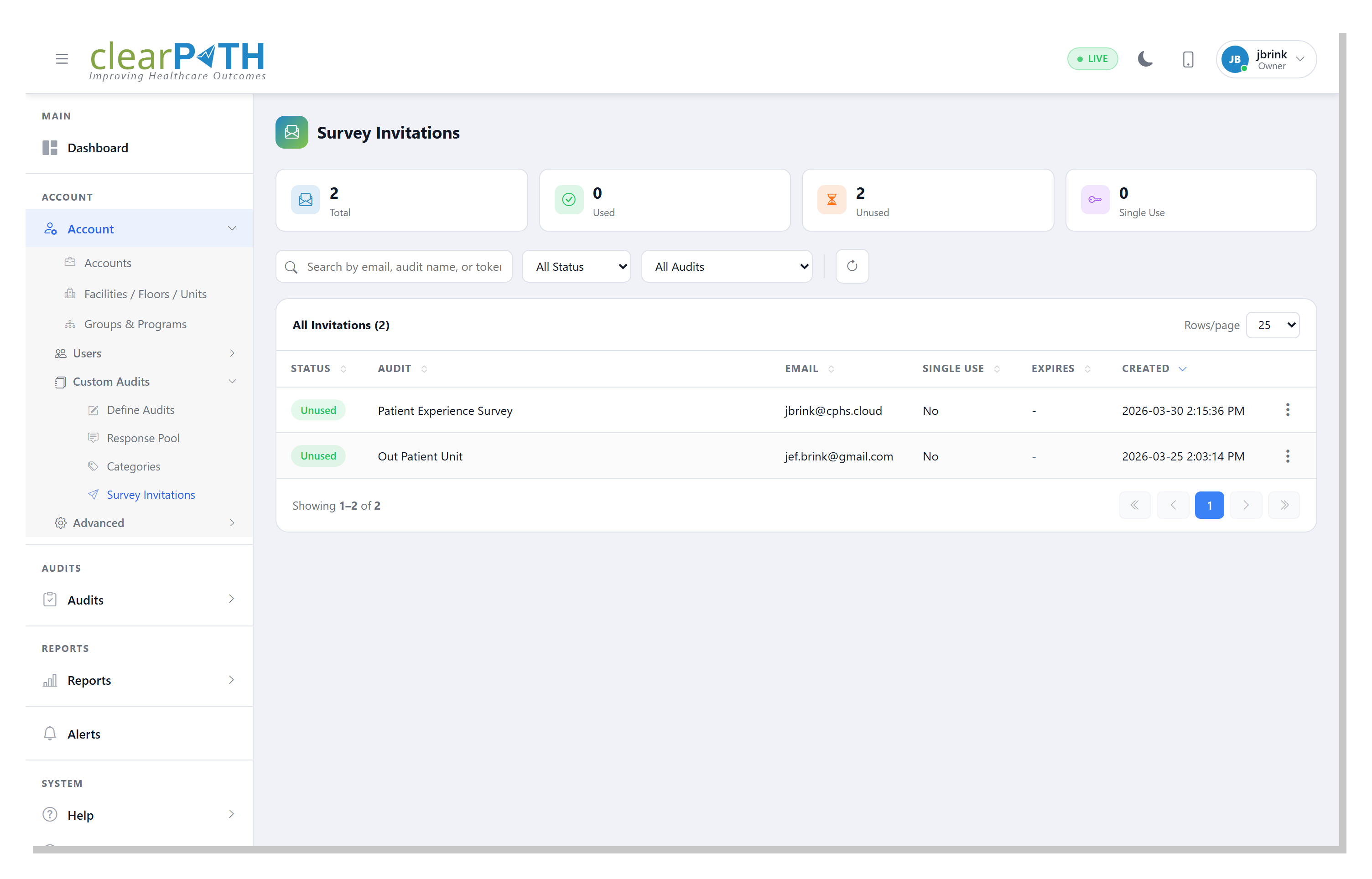
To open the invitations list click on Account | Custom Audits | Survey Invitations.
24.8.1. Invitation List
The toolbar provides:
Search — filter by respondent email, audit name, or token.
Status — show
Used,Unused, or all invitations.Audit — filter by a specific custom audit.
Refresh — reload the list.
Each row shows whether the invitation has been used, which audit it belongs to, the respondent email, whether it is single-use, its expiry date, and when it was created.
24.8.2. Invitation Detail
Click an invitation to open the detail editor.
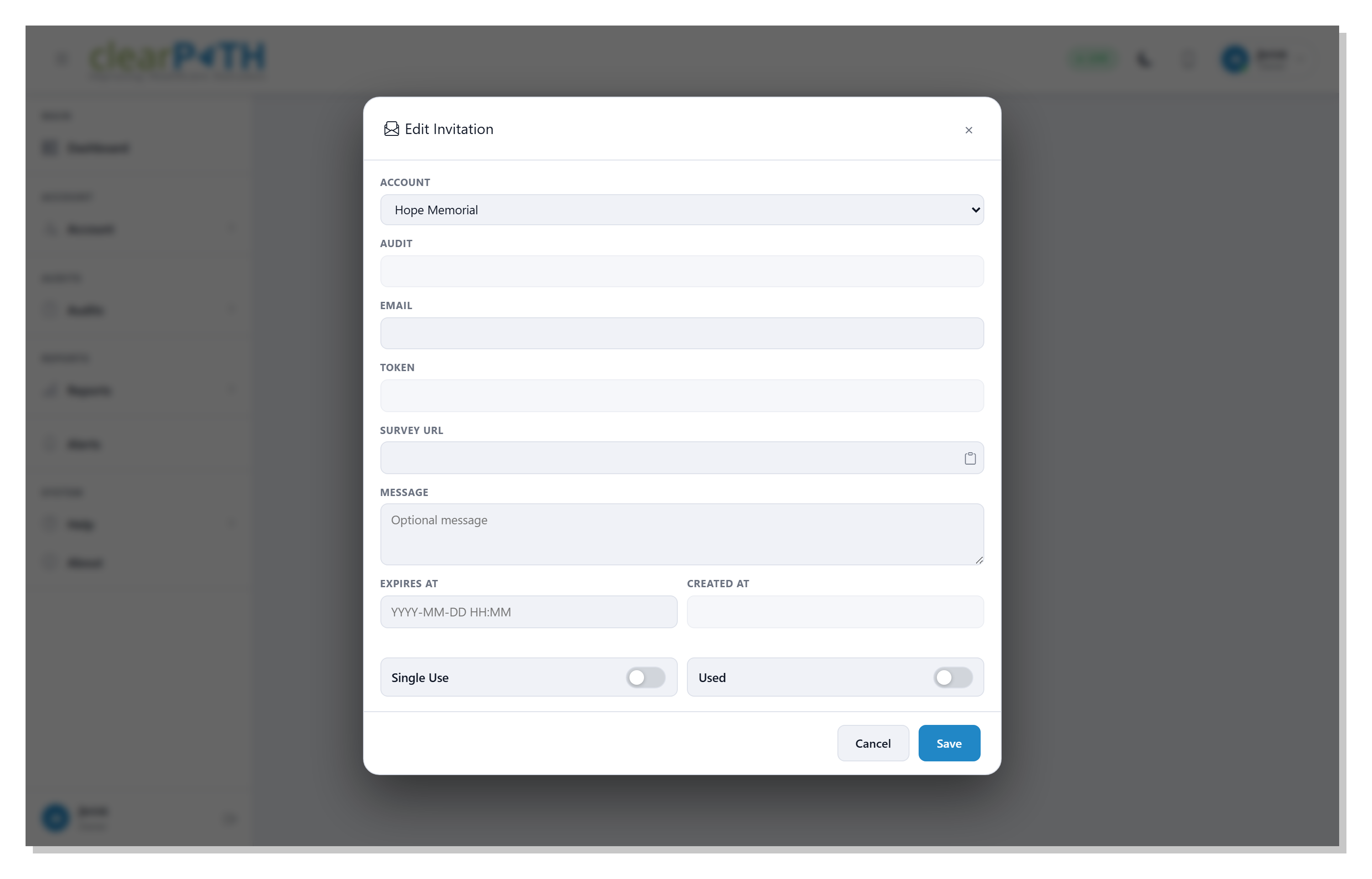
Account— the account that owns the invitation.Audit— the custom audit being invited to (read-only once the invitation has been created).Email— the respondent’s email address. Used for tracking and for sending the invitation.Token— the unique token embedded in the survey URL (read-only).Survey URL— the full link to send to the respondent. Use the clipboard icon beside the field to copy it.Message— an optional message included with the invitation.Expires At— optional expiry date and time. After this time the link will no longer open the survey.Created At— when the invitation was generated (read-only).Single Use— when enabled, the link can be opened and submitted only once. After use the link is markedUsedand cannot be opened again.Used— indicates whether the invitation has already been submitted.