24.4. Audit Groups
Audit Groups allow you to organize your custom audits into logical groupings. To access Audit Groups navigate to Custom Audits | Groups.
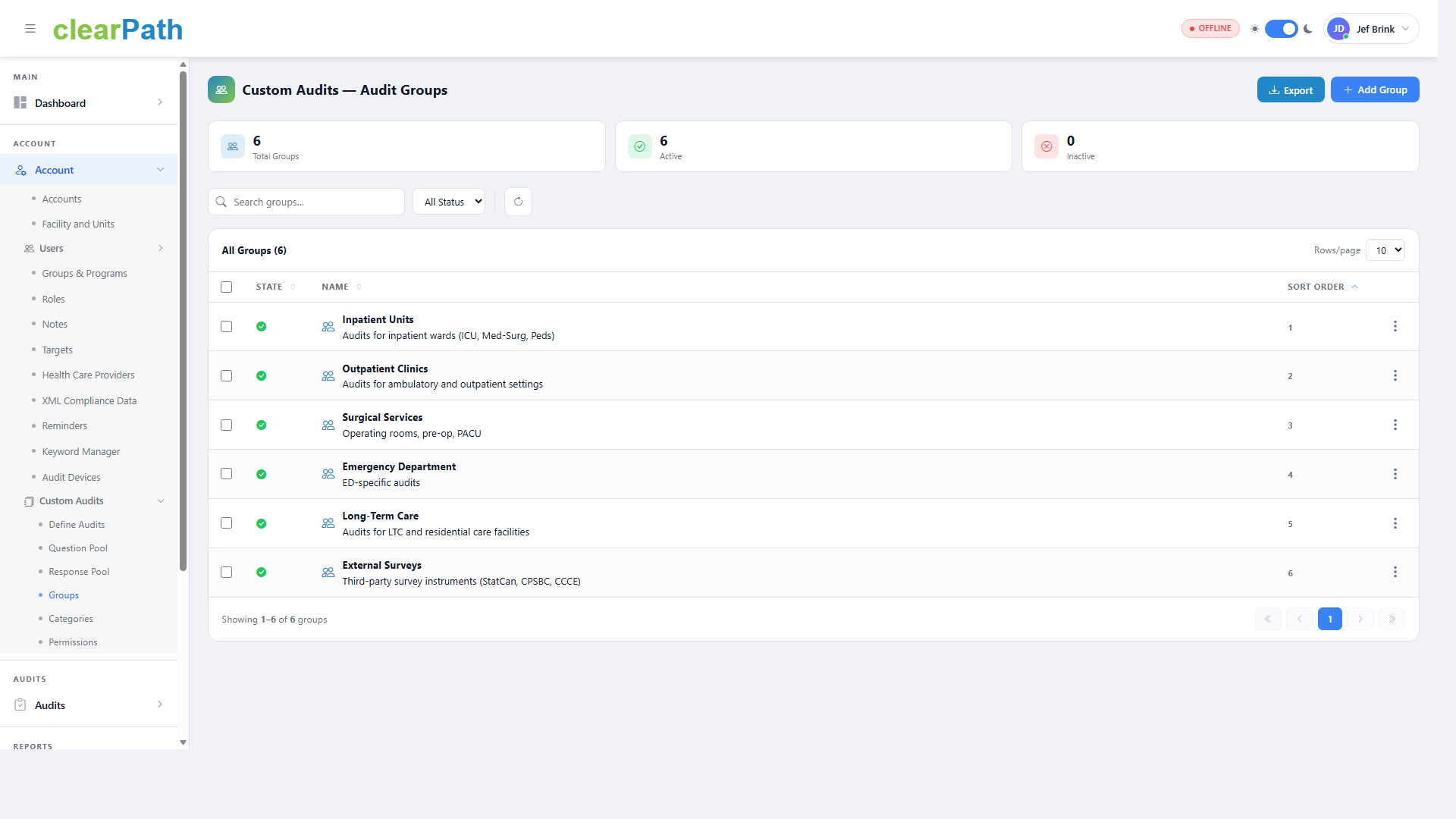
Summary cards at the top display the total number of groups, the number of active groups, and the number of inactive groups.
Use the search bar and status filter to locate a specific group.
Each group in the list displays its state, name, description, and sort order.
24.4.1. Adding a Group
To add a new audit group click the + Add Group button. Provide a name and description for the group and set its state to active or inactive.
Examples of audit groups include:
Inpatient Units – Audits for inpatient wards (ICU, Med-Surg, Peds)
Outpatient Clinics – Audits for ambulatory and outpatient settings
Surgical Services – Operating rooms, pre-op, PACU
Emergency Department – ED-specific audits
Long-Term Care – Audits for LTC and residential care facilities
External Surveys – Third-party survey instruments
24.4.2. Exporting Groups
Click the Export button to export the group list for backup or sharing purposes.