24.5. Categories
Categories allow you to classify your custom audits by subject area for filtering and reporting purposes. To access Categories navigate to Custom Audits | Categories.
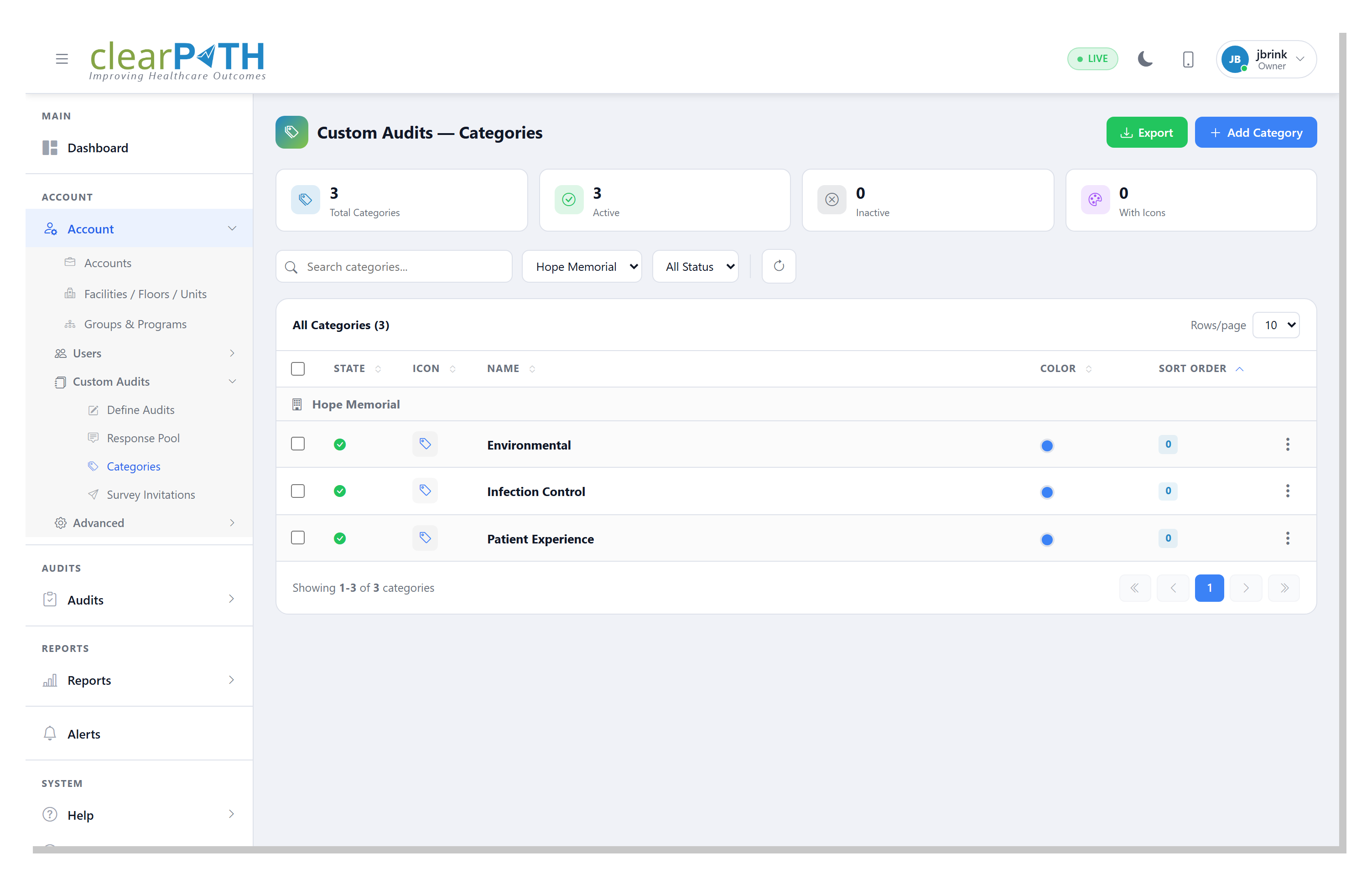
Summary cards at the top display the total number of categories, the number of active categories, the number of inactive categories, and the number of categories with icons assigned.
Use the search bar and status filter to locate a specific category.
Each category in the list displays its state, icon, name, description, color, and sort order.
24.5.1. Adding a Category
To add a new category click the + Add Category button. Provide a name, description, icon, and color for the category and set its state to active or inactive.
clearPath comes preconfigured with the following categories:
Category |
Description |
|---|---|
Hand Hygiene |
WHO 5 Moments hand hygiene compliance |
PPE Compliance |
Personal protective equipment usage and compliance |
Infection Prevention & Control |
Isolation, sharps, waste, cleaning, sterile supply |
Medication Safety |
Five rights, barcode scanning, high-alert drugs, storage |
Patient Safety |
ID bands, falls, call bells, pressure injury, VTE |
Environmental Services |
Cleaning, chemicals, WHMIS, utility rooms, HVAC |
Emergency Preparedness |
Fire safety, RACE, codes, AED, evacuation |
Documentation & Records |
Charts, MAR, orders, consent, incident reports |
24.5.2. Exporting Categories
Click the Export button to export the category list for backup or sharing purposes.