24.3. Response Pool
The Response Pool contains predefined response sets that can be assigned to questions in your custom audits. To access the Response Pool navigate to Custom Audits | Response Pool.
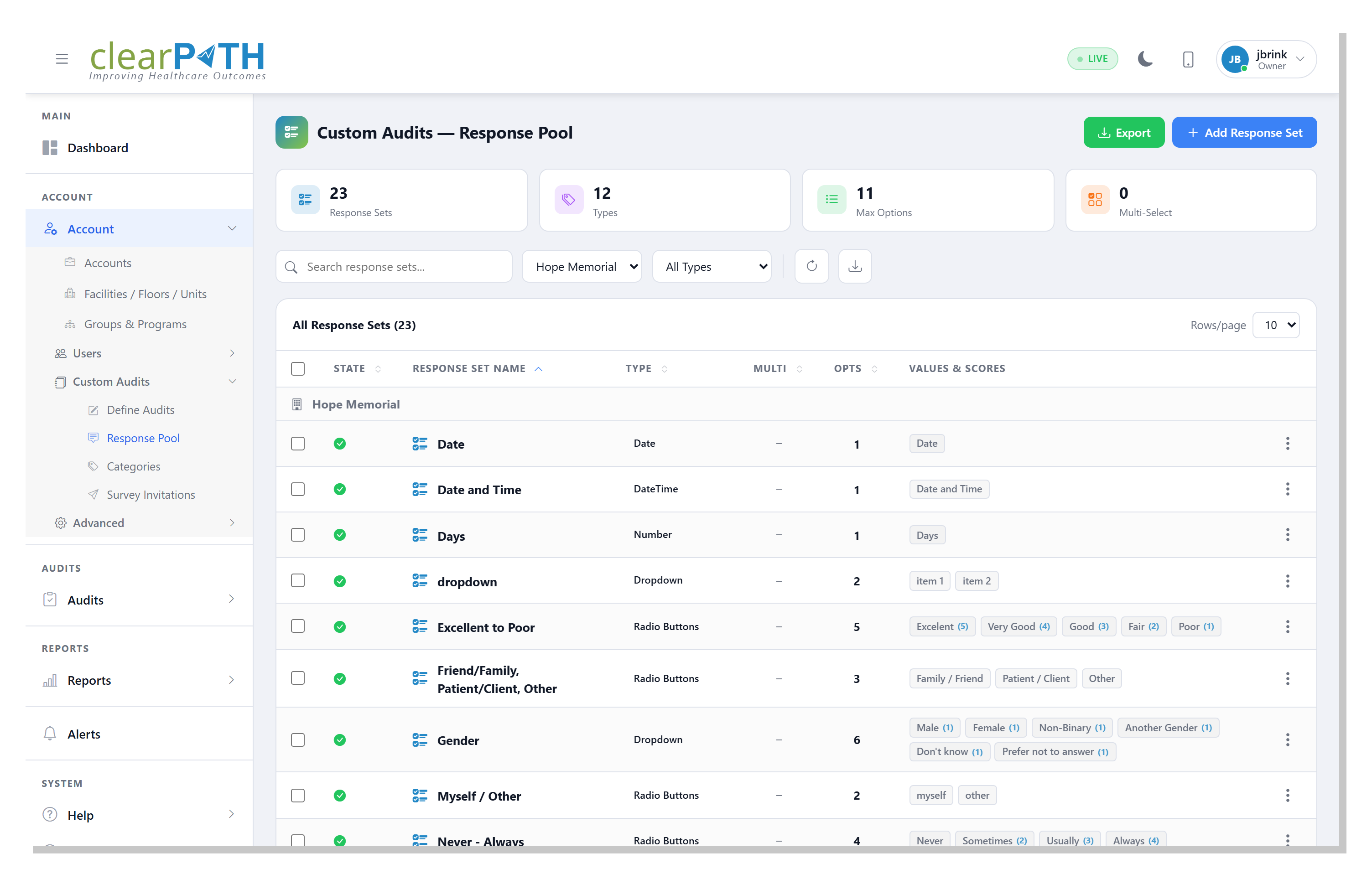
Summary cards at the top display the total number of response sets, the number of distinct types, the maximum number of options in any set, and the number of multi-select response sets.
Use the search bar and type filter to locate response sets.
24.3.1. Response Set Types
clearPath supports the following response set types:
Type |
Description |
|---|---|
Yes / No |
A simple binary response (e.g. Standard Yes/No, Yes/No/N/A). |
Pass / Fail |
A compliance-oriented binary response (e.g. Pass/Fail, Pass/Fail/N/A). |
Scale |
A numeric rating scale (e.g. Adherence Scale 1–10, Compliance Scale 1–5). |
Multiple Choice |
A set of predefined text options (e.g. Frequency, Waste Streams). |
N/A Compliant |
A compliance response with a not-applicable option (e.g. N/A, Compliant, Non-Compliant). |
Each response set shows the number of options, whether multi-select is enabled, and the individual values along with their associated scores.
24.3.2. Adding a Response Set
To add a new response set click the + Add Response Set button. Define the response set name, type, and the individual response values with their scores.
24.3.3. Exporting Response Sets
Click the Export button to export response sets for backup or sharing purposes.