Resetting your Password
Passwords are managed through the clearPath web portal. This page walks through the three situations you are likely to run into: you have forgotten your password, you have received a temporary password and need to set a new one, or you simply want to change the password you already use.
Note
Your clearPath password cannot be set or reset from the
cp2go application — it must be done through the
clearPath web portal. Open a web browser and go to
https://siteid.cphs.cloud, where siteid is your
organisation’s site identifier.
Forgot your Password
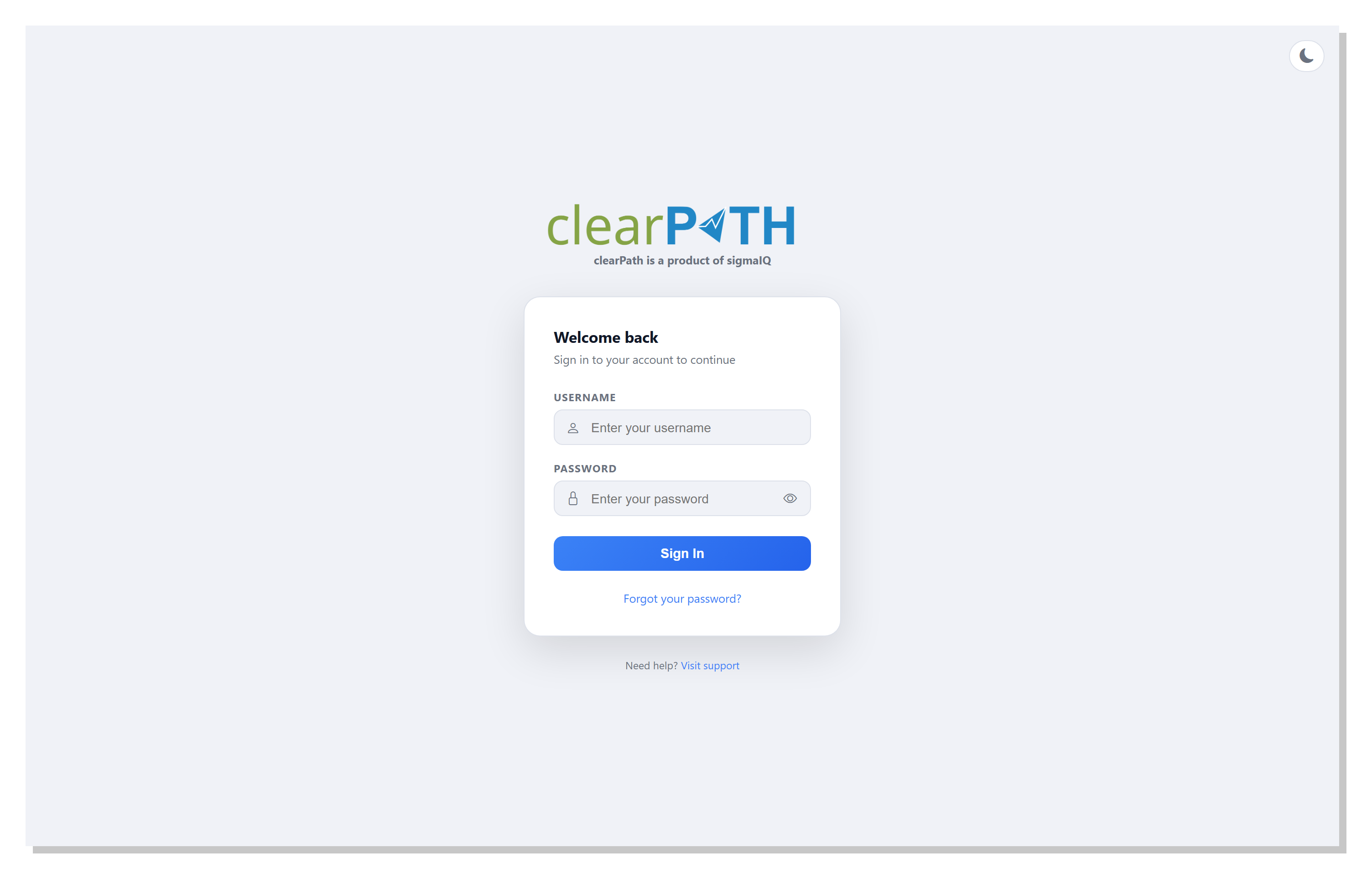
On the sign-in screen, click the Recover your Password link. If the link is not visible, your system administrator has disabled self-service password resets — in that case, email support@clearpathhealthsolutions.com and ask for a reset.
Enter the email address on file for your account and click
Send. If the address matches an active account, clearPath
generates a new random password and emails it to you. The email
usually arrives within a couple of minutes, but it can take up to
ten minutes depending on your mail server.
Tip
If the email does not arrive, check your spam or junk folder first. If it still has not arrived after ten minutes, open a ticket at support@clearpathhealthsolutions.com and we will reset the account for you.
Sample Email
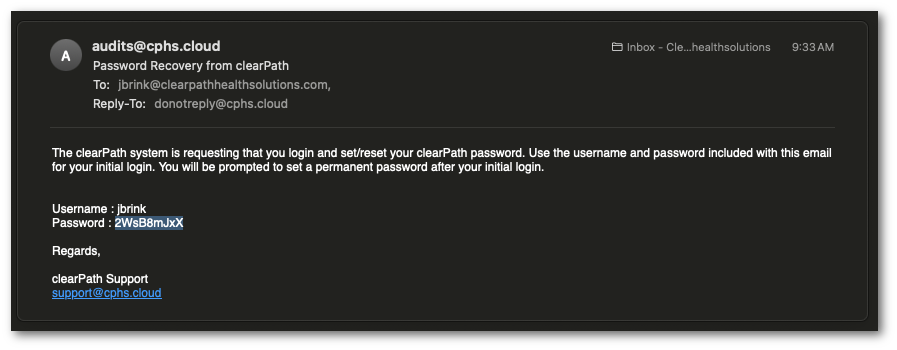
The email contains your temporary password and a link back to the sign-in page. Use the temporary password the next time you sign in.
Set a New Password
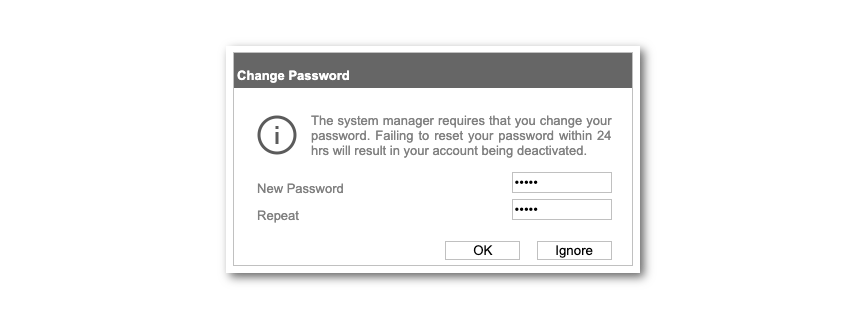
Once you sign in with the temporary password, clearPath asks you to
set a new one straight away. Enter the new password twice — once
in New Password and once in Confirm Password — then click
OK. Passwords must meet the minimum complexity rules enforced
by your account.
Successfully Changed Password
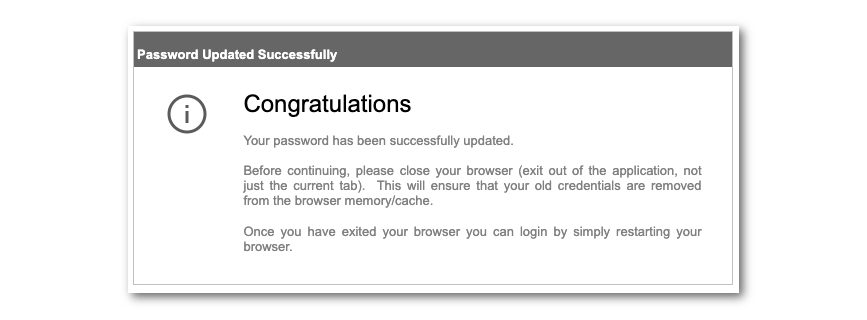
After the new password is accepted, close the web browser (not just
the tab) and reopen it. Sign in at https://siteid.cphs.cloud
with your username and the newly set password.
Note
If you have changed your clearPath password, you also need to change it in cp2go on every device you audit from before the device can sync again.