
1. What’s New and Fixed
1.1. Q1 2026
Users can now quickly determine which reports are assigned to distribution lists, by clicking on the action menu item in the report list.
Added the ability to send/get mail from the command line along with the ability to clear the email queue
Fixed an issue with two of the reports where the series all showed the same default color, making reports hard to read.
Change to the audit session name convention more info
Changes to the Poster Report Style A. more info
A new Quarterly QIP report has been added to the system. more info
Added a Distribution Summary report more info
The ability to filter report distribution lists, by owner, distribution frequency, state, options, and distribution emails. more info
A new system user summary report was added more info
A new Indicators by HCP Report was added more info
Distribution Lists are now checked to ensure there are no configuration issues before being sent out more info
Android version of cp2go for phones and tablets upgraded to version 5.9.4. more info
Windows version of cp2go upgraded to version 5.9.4.
Added a new deparment name and deparment id field for patient care areas. These new fields are included in the XML export function.
Changes to the generic export report include new Excel output format support, along with CSV. XML output format support has been dropped. A new DataID field to be used as a key to sync with other datasets. more info
A new Patient Care Area Summary system report has been added. more info
Add a new Report Age icon in the Report List, you can visually see how long its been since updating.
Users can now select any distribution lists to run by checking the check box adjacent to the distribution name and then choosing Execute Selected Distribution Lists from the action drop down menu.
Minor updates to cp2go for Android and Windows devices. Version updated to 5.9.5.
1.2. Q4 2025
New poster report style (D) has been added to clearPath. For more information on poster reports click here
Added the ability for recipients of a distribution list to unscribe from the list. For more info click here.
New version of the QIP Indicators Report - includes graph and takes thresholds and color settings from the system target feature.
Changes to the target feature to support the thresholds metcolor,missedcolor and withincolor settings and the new within parameter.
New FAQ section click here.
New Report Request Policy click here.
fixes for the Summary of Indicator Report. Added a Total at the bottom of the report
Certificate of Excellence now displays the proper moment names instead of 1,2,3 and 4
Fixed an issue were users where unable to delete multiple audit sessions
Fixed a problem where the user could not request a password reset via email
Changed the Moment Name in the QIP by Indicator report that previously showed 1,2,3 and 4
Device Detail screen changed the formatting on the Last Sync column and Last Seen columns to make them easier to read.
Added the Site & Unit fields back into the report headers for all the new reports
Fixed the issue regarding access permissions in the report list.
Added wordwrap and auto height for the observation note comment report where the comment extended past a single line
Fixed an issue with the Indicator by HCP report where the right margin was incorrect
Migrated the Compliance Ranged by Unit report to the new report format. Report now supports PDF, CSV and Excel
Added a total for Facilities in the Indicators by PCA report.
Added a new Style B option for the Indicators by Patient Care Area Report
1.3. Q3 2025
1.3.1. Include / Exclude Facilities on Corporate Reports
Added the ability to exclude designated facilities from corporate reports with the new Include Facility in Corporate Reports checkbox. click here
1.3.2. Updated System Backups
We have updated and documented our system backups for flexibility and reliability. For more information on system backups click here
1.3.3. cp2xml Software
The new cp2xml software is a Windows based application that allows users to quickly and easily download hand hygiene compliance data from clearPath into XML format. The XML data can then be used by corporate scorecard software to integrate hand hygiene compliance with other key metric’s. For more information on cp2xml click here.
1.3.4. cp2go Auditing Software
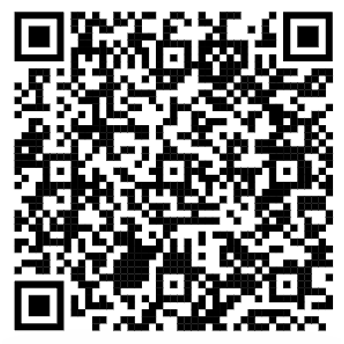
Scan the QR Code below for your given platform to download the cp2go application.

|
|
Apple iPads and iPhones |
Android Tablets and Phones |

|

|
Windows Store Download |
Windows Download (direct and unsigned) |
1.4. Q2 2025
The major change in this release is the rebranding from mAiRiner to clearPath. Updated user interface, new logos, new functionality, new web site, new email addresses, same great support.
Note
All existing contacts, email addresses, mAiRiner web site, support emails etc will continue to work.
1.4.1. Application Interface Changes
Main Menu Reorganization
Web Interface style changes, updated icons and controls
1.4.2. Report Changes
Added Excel file formats to many of the existing report styles. See report matrix for details. [1]
Technique Distribution (previous report style - By Technique)
Moment Compliance (previous report style - Type Indicator)
Indicator by HCP
Quarterly Status
Observer Summary
Year End Summary
Observation Notes (previously Comment Report)
Indicators by HCP
Observer Summary by Indicator
Indicators by Unit/Patient Care Area
Compliance Indicators by Month
Summary of Audits
Audit Progress Summary
Observation Note Frequency
Last Six Months
Last Six Quarters
Three Month Rolling
QIP Indicators Last Twelve Months
QIP HCP Last Twelve Months
Glove, Bracelets, Rings, and Nails Compliance Reports
New Poster Report Versions
Updated Report Type Filter Dropdown - Reports types are now organizated by Group
New Page footers added to many of the existing reports
1.4.3. New Legacy Data Import File Formats
1.4.4. Auditing Software
Rebranding of auditing application m2go to cp2go.
Note
m2go and cp2go are 100 percent compatible with each other, and can be used interchangeably with mAiRiner or clearPath backends.
1.4.5. LDAP/Active Directory Authentication
Active Directory Support for clearPath Ultimate edition for on Premise Deployments
FootNotes